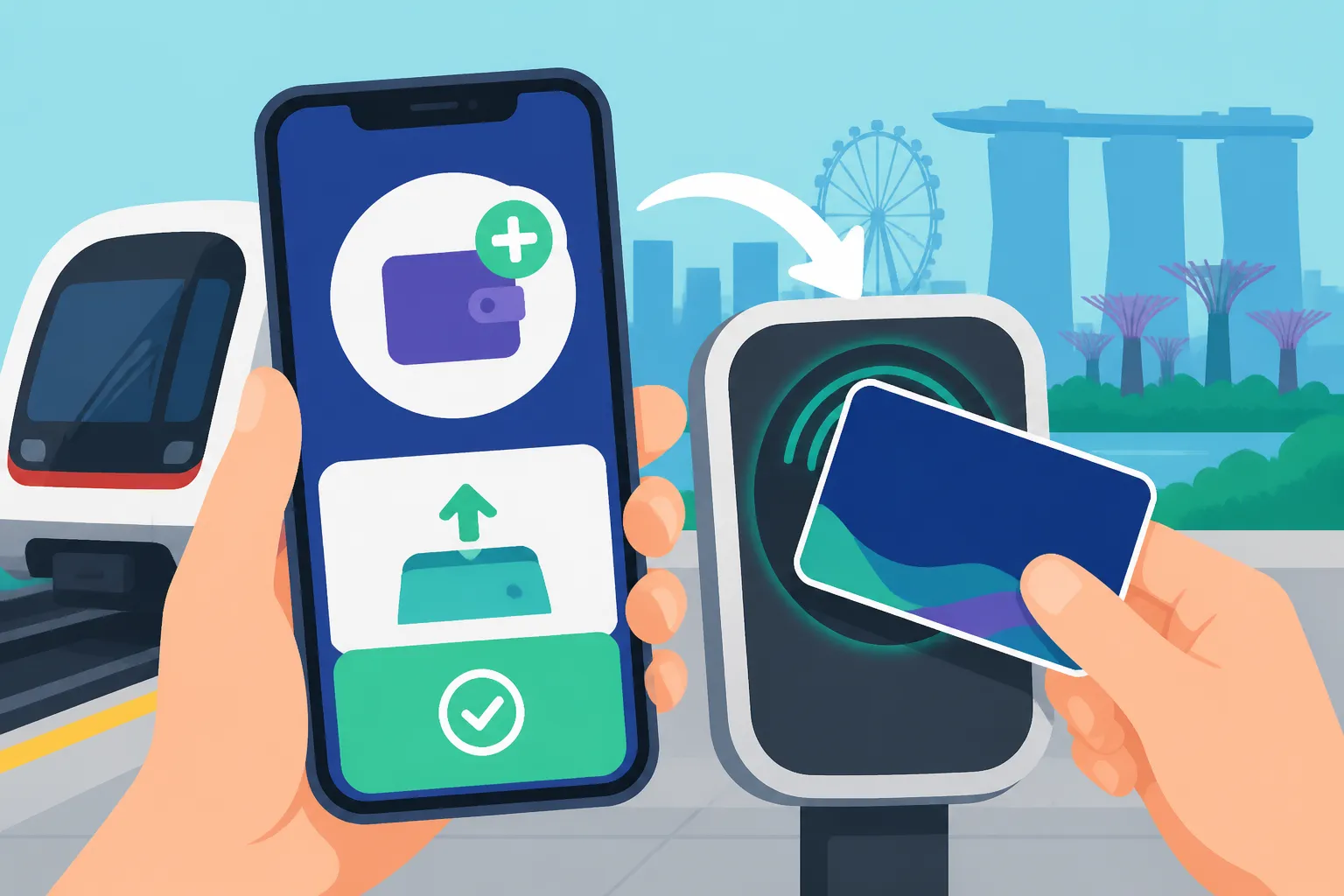
How to Use the EZ-Link App to Top Up Your Transport Card
One of the first little hurdles you face when you land in Singapore, trying to navigate your new tropical home, is figuring out the public transport. You quickly learn about the super-efficient MRT and bus systems, but then comes the slightly annoying part: topping up your transport card. Hunting for those top-up machines, fumbling with cash or cards, and inevitably getting stuck behind a queue during rush hour can be a real headache. This guide will walk you through exactly how to bypass all that hassle by mastering the EZ-Link app, making your daily commute in Singapore a breeze.
The Evolution of Public Transport Payments in Singapore
Ah, public transport in Singapore. It’s a marvel, really. But even in such an advanced city-state, the methods of payment have certainly evolved over the years. For us expats, especially those who’ve been here a while, remembering the "old days" just makes us appreciate the current conveniences even more.
Remembering the Old Ways: Cash, Manual Top-Ups, and Queue Frustrations
When I first moved here, getting around was simple, but topping up your EZ-Link card? That was a different story. You’d alight at an MRT station, wander around looking for the General Ticketing Machines, and then pray there wasn't a queue. More often than not, especially during the morning or evening peak, you'd find yourself shuffling impatiently behind a line of commuters, each fumbling with their notes or coins, or struggling with a card that the machine just wouldn't read.
And cash! Who carries cash anymore, right? Yet, many of those older machines heavily favoured cash top-ups, or required specific debit cards that you might not have set up yet as a new arrival. Imagine trying to get to work on time, only to find your card has insufficient value and you're stuck in a queue, watching the train doors slide shut without you. It was a rite of passage for many, a universal shared frustration that cemented our "kiasu" (fear of losing out) tendencies to always check our card balance. Those memories make you truly appreciate how far things have come, especially with handy digital solutions like the EZ-Link app.
Welcoming Contactless and Digital Solutions: EZ-Link App and SimplyGo
Fast forward a few years, and thankfully, Singapore's public transport system has embraced the digital revolution wholeheartedly. The introduction of contactless payment methods has been a game-changer, and two main players dominate the scene: the EZ-Link app and the SimplyGo system. While both aim to simplify your commute, they cater to slightly different needs.
The EZ-Link app focuses specifically on managing your physical EZ-Link card. It transforms your smartphone into a portable top-up station, letting you check balances, view transaction history, and most importantly, load value onto your card anytime, anywhere, using your phone’s NFC (Near Field Communication) capabilities. This is particularly useful for those who prefer sticking to a dedicated transport card, perhaps for budgeting purposes or if you have specific concession cards for children that are EZ-Link based.
Then there's SimplyGo. This system allows you to tap directly onto buses and MRT gates using your contactless debit or credit card (or even your mobile wallet like Apple Pay or Google Pay) without needing a separate transport card at all. The fares are charged directly to your bank account, and you can track your travel history and expenses via the SimplyGo app. Many new expats arriving in Singapore find this incredibly convenient as it means one less card to worry about. You'll quickly discover that Singapore has really pushed for convenience in so many aspects of daily life, from topping up your transport card to easily connecting with local data plans. For instance, before you even land, you might be thinking about how you'll get data for your phone. Companies like Airalo offer eSIMs that can get you connected quickly, so you're ready to download the EZ-Link app as soon as you touch down. But for the purpose of this guide, we'll focus on making the most out of your EZ-Link card with its dedicated app.
Getting Started with the EZ-Link App: A Step-by-Step Guide
Embracing the EZ-Link app is like unlocking a new level of convenience in Singapore. No more frantic searches for top-up machines or digging for loose change. But before you can enjoy this digital freedom, you need to get set up. It's a straightforward process, but knowing the nuances can save you a little frustration.
Downloading and Setting Up Your Account
First things first, you need to get the app onto your phone. The EZ-Link app is readily available on both the Apple App Store for iOS users and the Google Play Store for Android devices. Just search for "EZ-Link" and look for the official logo.
Once downloaded, opening the app will prompt you to create an account. This typically involves providing your mobile number and email address. You’ll receive an OTP (One-Time Password) to verify your number, which is a standard security measure here in Singapore. They might also ask for some basic personal details, but the process is generally quick and user-friendly. For those who are already deeply integrated into Singapore's digital ecosystem, you might notice an option to link with your Singpass. While Understanding Singpass: The Key to Digital Banking and Government Services can unlock many government and banking services, it's not strictly necessary for basic EZ-Link app functions like topping up. However, linking it can streamline certain features or provide added layers of security and convenience down the line. The key takeaway is to ensure all your details are accurate to avoid any hiccups.
Linking Your EZ-Link Card to the App
Now that your account is set up, the next crucial step is linking your physical EZ-Link card to the app. This is where the magic happens, connecting your physical transport token to your digital control panel.
For most modern smartphones and EZ-Link cards, the process is incredibly simple thanks to NFC technology.
- Open the EZ-Link app.
- Navigate to the "My Cards" section.
- Tap "Add Card" or a similar prompt.
- Hold your EZ-Link card firmly against the back of your phone. For iPhones, the NFC reader is usually at the top; for Androids, it's often in the middle. You might need to move it around slightly until your phone registers the card.
The app should then detect your card, display its balance, and prompt you to add it to your account. Follow the on-screen instructions, and voila! Your card is now linked.
What if NFC isn't working, or you have an older card? Some older EZ-Link cards might not be NFC-enabled for app linking, or your phone might be having trouble. In such cases, the app often provides an option to manually enter the card's serial number. This number is usually found on the back of your EZ-Link card, often a long string of digits. Just type it in carefully, and the app should be able to link it. It's worth noting that the app supports most standard adult EZ-Link cards, as well as many co-branded cards and concession cards. If you're encountering persistent issues, a quick visit to an MRT station Passenger Service Centre can help clarify if your specific card type is fully compatible with the app's NFC features.
Adding Payment Methods
To top up your card, you'll need a way to pay! The EZ-Link app supports various convenient payment methods, making it easy to fund your public transport adventures.
The most common options include:
- Credit/Debit Cards: You can link your Visa, Mastercard, or American Express cards directly to the app. The process is similar to any online purchase: enter your card number, expiry date, and CVV. The app often allows you to save these details for faster future transactions, usually with an option for fingerprint or facial recognition for security.
- Digital Wallets: If you use Apple Pay or Google Pay on your phone, these can often be integrated for seamless payments. This adds an extra layer of security, as your actual card number isn't stored directly on the app, but rather a tokenized version.
- Direct Debit (GIRO): For those planning a longer stay and wanting ultimate convenience, setting up a GIRO direct debit from a local Singapore bank account is an option. While perhaps less common for initial expat setups, it’s worth considering for recurring top-ups, much like how you might How to Set Up a GIRO Payment for Your Monthly Condo Rent or other recurring bills.
Always ensure your payment details are secure and up-to-date. The app employs encryption and other security protocols, but it's good practice to monitor your linked cards and transaction history regularly, just as you would with your general Banking and Finance for Expats in Singapore: Complete 2027 Guide matters.
Topping Up Your EZ-Link Card via the App: The Modern Way
Alright, you've downloaded the app, linked your card, and added your payment method. Now for the main event: topping up your EZ-Link card without any fuss. This is where the EZ-Link app truly shines, saving you precious time and hassle.
The Instant Top-Up Feature: How NFC Makes Life Easy
This is the killer feature for most commuters. The instant top-up via NFC is incredibly satisfying and ridiculously convenient.
- Open the EZ-Link app and ensure you're logged in.
- Select the card you wish to top up from your "My Cards" list.
- Tap on the "Top-Up" option.
- Choose your desired top-up amount. The app usually provides common denominations (e.g., S$10, S$20, S$50), but you can often enter a custom amount. Be mindful of the minimum top-up, which is typically S$10, and the maximum value an EZ-Link card can hold (currently S$500).
- Select your preferred payment method from the ones you've linked.
- Confirm the transaction. You might need to authenticate with a password, fingerprint, or facial scan depending on your phone's security settings.
- Crucially, when prompted, hold your physical EZ-Link card against the back of your phone again. This step is vital! The app processes the payment, and then, using NFC, writes the new value directly onto your physical card. You'll hear a little chime or see a confirmation message once the transfer is complete.
The beauty of this is that it's instant. The moment you hear that chime, the new value is on your card and ready to use. No need to go to an MRT station or a convenience store. You can literally be standing at a bus stop, realise your card is low, top it up, and tap onto the bus seconds later. This convenience is a godsend, especially when you're rushing or if you find yourself far from any physical top-up points. It's truly a game-changer for daily life, fitting right into Singapore's efficient vibe where every minute saved feels like a win.
Auto Top-Up: A Set-and-Forget Solution
For the truly organised and those who want to completely eliminate the worry of insufficient funds, the EZ-Link app offers an auto top-up feature. This is brilliant for regular commuters and can be a fantastic way to manage your public transport budget as part of your overall Cost of Living for a Single Expat: Monthly Budget Breakdown.
Here’s how it works:
- Set a Threshold: Within the app, you can specify a minimum balance. For example, you might set it to S$10.
- Automated Deduction: When your card's balance drops below this threshold during a transaction (e.g., you tap out of the MRT and your balance goes from S$12 to S$8), the system automatically triggers a top-up.
- Pre-Determined Amount: You also set the amount to be topped up automatically (e.g., S$20). So, if your balance hits S$8, it automatically tops up by S$20, bringing your new balance to S$28.
- Linked Payment Method: This auto top-up will draw funds from the payment method you've designated within the app.
The benefits are clear: you never run out of value on your card. This provides immense peace of mind, especially on those hectic mornings or late nights when you're just too tired to think about your card balance. It's also great for families, ensuring everyone's card is always good to go. You can set it up, manage, or disable the auto top-up feature easily within the app's settings whenever your circumstances change.
Transaction History and Rewards
Beyond just topping up, the EZ-Link app is also a handy little financial tracker for your daily commutes.
- Checking Past Transactions: The "Transaction History" section provides a detailed breakdown of your taps, showing where and when you travelled, and how much each journey cost. This can be super useful for budgeting, tracking expenses for work, or simply understanding your travel patterns. It helps you keep tabs on your spending, a crucial part of managing your money in Singapore.
- EZ-Link Rewards: The app often integrates a rewards program. Every time you use your EZ-Link card for transport or other payments (yes, EZ-Link can be used for some retail purchases too!), you might earn points. These points can then be redeemed for various vouchers, deals, or discounts from participating merchants. It's a small but nice bonus that adds value to your everyday commuting. Always check the app for the latest reward schemes, as they can change periodically.
Common Challenges and Troubleshooting for Expats
While the EZ-Link app offers incredible convenience, like any technology, it can sometimes throw a curveball. For expats new to the system, these minor glitches can feel like major roadblocks. Don's fret, most issues are easily resolved.
NFC Issues and Older Card Compatibility
One of the most frequent issues people encounter is problems with NFC (Near Field Communication) – that magical technology that allows your phone to talk to your EZ-Link card.
- "My phone isn't reading the card!":
- Placement is Key: Ensure you’re holding the card firmly and steadily against the back of your phone, not waving it around. For iPhones, the NFC antenna is usually at the top, while Android phones often have it in the middle. Experiment a little to find the sweet spot.
- Phone Case Interference: Thick phone cases, especially those with metal, can sometimes interfere with NFC signals. Try removing your case if you're having trouble.
- Other NFC Functions: Make sure other NFC-based apps aren't running in the background, as they might conflict.
- Phone Model: Very old smartphone models might have less reliable NFC capabilities.
- Older Card Compatibility: Not all EZ-Link cards are created equal. Some very old EZ-Link cards (e.g., those issued many years ago, or specific first-generation cards) might not be fully compatible with the app's NFC top-up feature. If your card is several years old and you're having persistent trouble, it might be worth getting a new EZ-Link card from any MRT station or convenience store like 7-Eleven. They usually cost a few dollars, but it might save you future headaches.
- Alternative Top-Up: If all else fails with the app's NFC, remember you still have fallback options. You can still top up your card at MRT General Ticketing Machines, at convenience stores (7-Eleven, Cheers), or at integrated service counters at bus interchanges. It's not as convenient, but it ensures you're never stranded.
Payment Gateway Problems and Card Declines
Nothing is more frustrating than a failed payment, especially when you need that top-up now.
- Card Details: Double-check that all your credit/debit card details (number, expiry date, CVV) are entered correctly. A single typo is enough to cause a decline.
- Insufficient Funds/Credit Limit: Ensure there's enough money in your bank account or sufficient credit limit on your credit card to cover the top-up amount.
- Bank Restrictions: Sometimes, your bank might flag the transaction as suspicious, especially if it's a new merchant or if you've recently arrived in Singapore. Check if your bank has any overseas transaction limits or requires a one-time verification. A quick call to your bank's customer service can often resolve this.
- Network Issues: Occasionally, the payment gateway itself might experience a momentary glitch. Try again after a few minutes, or use a different linked payment card if available.
- App Updates: Ensure your EZ-Link app is updated to the latest version. Bugs in older versions can sometimes cause payment processing errors.
If you’re continually facing "payment declined" messages, it's best to reach out to your bank first, then EZ-Link's customer support if the issue persists on their end.
Lost or Stolen Cards: Protecting Your Balance
Losing your EZ-Link card can be a real bummer, not just for the inconvenience but also for the lost balance. Thankfully, if your card is linked to the EZ-Link app, you have a better chance of recovering some value.
- Act Quickly: The moment you realise your card is gone, open the EZ-Link app.
- Block the Card: In the "My Cards" section, there should be an option to report the card as lost or stolen and block it. This prevents anyone else from using the remaining value.
- Refund Process: Once blocked, EZ-Link usually initiates a refund process for the remaining balance on the card. This balance can often be transferred to a new EZ-Link card or sometimes even directly to your linked payment method. Do note that there might be an administrative fee or a waiting period. It's a lifesaver, really, as without the app, a lost card pretty much meant saying goodbye to your money.
- General Security: While your EZ-Link card might not be a high-value item, it's good practice to keep all your personal documents and cards secure. For larger losses, such as a wallet or passport, understanding your Expat Health Insurance in Singapore: Public vs Private Coverage or travel insurance might offer some personal effects coverage, though for an EZ-Link card specifically, the app is your best bet.
Beyond Top-Ups: Other Useful EZ-Link App Features
While topping up is undoubtedly the star feature of the EZ-Link app, it's not a one-trick pony. There are several other functionalities built into the app that can genuinely enhance your daily life in Singapore, especially if you're managing family logistics.
Managing Multiple Cards for Family Members
If you're an expat family with kids, or perhaps you and your spouse each have your own EZ-Link cards, juggling multiple balances and ensuring everyone's card is topped up can be a mini-logistical challenge. The EZ-Link app simplifies this immensely.
Once you've linked your primary card, you can often add multiple EZ-Link cards to a single account. This means:
- Centralised Balance Check: You can quickly see the balance for your own card, your spouse's, and your children’s cards all in one place. No more asking "Do you have enough for the bus?" every morning.
- Easy Group Top-Ups: When it's time to top up, you can select any linked card and instantly add value to it using your stored payment methods. Imagine your child heading to school and realising their card is low – a quick tap on your phone, and poof, they're ready to go. This is particularly useful for parents whose children use concession cards or student passes that are EZ-Link enabled.
- Transaction Oversight: You can also review the transaction history for each linked card individually. This can be helpful for tracking where family members have travelled, or simply for monitoring spending, which is a key part of Healthcare Budgeting in Singapore: Managing Out-of-Pocket Costs and overall family finances.
This multi-card management feature is a real time-saver and stress-reducer for many expat families, streamlining a small but essential part of daily life in Singapore. It really showcases how thoughtful integration can make everyday tasks so much smoother.
Digital Ticketing and Other Integrated Services
While primarily focused on EZ-Link card management, the app also has ambitions to be a broader lifestyle companion, integrating with other services. Over time, digital platforms evolve, and the EZ-Link app is no exception, looking for ways to add more value to its users.
Currently, beyond just transport, EZ-Link cards themselves can be used for payments at various retail and F&B merchants across Singapore. The app extends this by allowing you to:
- View Merchant Promotions: Sometimes, the app will highlight specific promotions or discounts available when you pay with EZ-Link at partner merchants. This can be a nice little bonus when you're out and about shopping or dining.
- Digital Vouchers: You might find options to purchase or redeem digital vouchers for attractions, events, or specific stores directly within the app, which can then be used with your EZ-Link card or via a QR code. For instance, if you're planning a day out on Sentosa, there might be integrated ticketing options.
- Personalised Offers: Based on your usage patterns, the app might offer personalised promotions, trying to tailor deals to your spending habits.
- General Information: The app also acts as a hub for general EZ-Link related news, updates on public transport, and customer service contacts.
While these additional features might not be as critical as the top-up function, they're certainly handy to explore once you're comfortable with the basics. It shows EZ-Link's commitment to making the app more than just a utility, but a truly integrated part of your daily digital life in Singapore. When you've already sorted out your bigger expat moves like coordinating with services like Sirelo for your relocation, mastering a simple app like EZ-Link for daily commutes feels like a small, satisfying victory in settling in.
| Feature | EZ-Link App (NFC Top-Up) | General Ticketing Machine (MRT) | Convenience Stores (7-Eleven, Cheers) |
|---|---|---|---|
| Convenience | High (anytime, anywhere with NFC phone) | Medium (requires physical location, potential queues) | Medium (requires physical location, potential queues) |
| Payment Options | Credit/Debit cards, Digital Wallets, GIRO | Cash, Credit/Debit cards (some machines), NETS | Cash, NETS, sometimes Credit/Debit cards |
| Real-time Update | Instant (after tapping card to phone) | Instant | Instant |
| Minimum Top-Up | S$10 (typically) | S$10 (typically) | S$10 (typically) |
| Added Features | Auto Top-Up, Transaction History, Multiple Card Mgmt, Rewards | None (solely top-up and card purchase) | None (solely top-up, sometimes with loyalty points for store) |
| Common Issues | NFC issues, payment gateway problems | Machine malfunctions, queues, cash requirements | Queues, store availability, staff errors |
| Best For | Regular commuters, families, avoiding queues, emergency top-ups | One-off top-ups, new card purchases | Quick top-ups when passing by, no phone NFC |
Disclaimer
The information provided in this guide is for general informational purposes only and is subject to change. While we strive to keep the content accurate and up-to-date, details regarding app features, payment methods, and public transport policies in Singapore can evolve. Always refer to the official EZ-Link website, app, or customer service for the most current and specific information. Neither the author nor the publisher assumes any liability for errors or omissions in the content.